
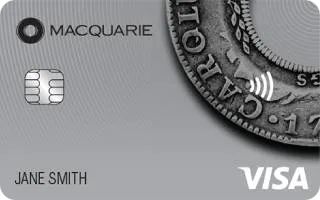
Macquarie Bank Visa RateSaver Credit Card – Details & Application
Now there’s a low rate credit card with a touch more style. Backed by the strength of Macquarie Bank and the global reach of Visa, the new Macquarie Bank Visa RateSaver is a card you’ll be happy to take out!
Interest Rates, Fees & Charges
| Balance Transfer Rate |
0% p.a. for 4 months |
|
|---|---|---|
| Interest Rate on Purchases | 14.95% p.a. | |
| Annual Fee | $50 | |
| Interest Free Period | up to 55 days | |
| Cash Advance Rate | 21.95% p.a. | |
| Card Type | Standard | |
| Credit Card Type | Visa | |
| Rewards Program | No |
Reasons to consider the Macquarie Bank Visa Ratesaver Credit Card:
Besides being a competitive low rate credit card, the Macquarie Bank Visa Ratesaver Card is loaded with hot features to make your life easier and less complicated:
Macquaries Visa Rate Saver Credit Card Features:
- Benefit from 0% p.a. for 4 months interest on balances transferred from other credit cards.
- Pay the low annual card fee of just $50.
- The 14.95% p.a. p.a on purchases is one of the lowest in the industry.
- Pay 21.95% p.a. p.a on cash advances.
- Get up to 55 interest free days on purchases.
- Benefit from advanced security and fraud protection with an embedded chip.
Your Macquarie Bank Visa Ratesaver Card will be accepted at over 24 million merchants worldwide making it the ideal partner for your travels and everyday living.
As with other Macquarie products, this card will become your constant companion to make life on the go easier while giving you great features to save money.
Macquarie Credit Card Application Requirements
- You are 18 years old or over
- You are a permanent resident of Australia
- You have a good credit rating
- You must earn a minimum taxable income of $50,000 per annum.
The balance Transfer Terms and Conditions
1. Macquarie Bank Card Services accept Balance Transfers (BT) of
$500 or more from banks, other financial institutions and store cards, to
transfer to your Macquarie Bank Credit Card Account (Account).
Macquarie Bank at all times reserves the right not to process your BT.
2. BTs from your Account to any other Macquarie Bank account are
excluded. Foreign currency BTs and BTs to offshore accounts are
also excluded.
3. BTs will not be processed until you have activated your Account. We will
transfer the balances specified by you to your Account, in full, subject to
your available credit limit. Should your BT request exceed your available
credit limit, we will contact you to receive further instructions to enable us
to process your request.
4. You will not be eligible for interest free days until the balance transfer
amount is paid in full. Repayments to your Account are applied to BTs first
and are treated as a Special Promotion under your Account Terms and
Conditions. BTs will attract interest from the date of transfer. BTs do not
qualify for Reward points.
5. Please allow 5 days from the date your Account is activated for transfers
to be finalised. You should continue to make payments on your other
accounts, in accordance with their Terms and Conditions, until you receive
a statement from them confirming that your account has been credited.
We will not be responsible for any payments (overdue or otherwise) or any
interest incurred on your other accounts. Any remaining balances on
those accounts after the BT are your responsibility.
6. BT promotional interest rates are only valid for the period stipulated in the
offer you have accepted.
| Minimum Income | Minimum Age | 18 years of age | |
| Residency | Permanent Australian Resident | Credit Rating Requirement | Good |
| Min Credit Limit | $2,000 | Max Credit Limit | $50,000 |
| Annual Fee | $50 | Balance Transfer Fee | |
| Minimum Repayment | 2% | Interest Charged From | Purchase Date |
| Late Payment Fee | $35 | Over Limit Fee | $30 |
| Overseas Emergency Replacement | Overseas ATM Balance check | ||
| Overseas ATM Withdrawal | Foreign Currency Conversion Fee |


Would a dual pension
be excepted ?
Balance transfer of $10.000
Thank you.
Noel
Hi Noel
I would suggest speaking to BoQ Customer Service to see if they can assist.
Cheers
Jeremy